Compute

Deploy AI-optimized training & inference clusters
— powered by the latest NVIDIA GPUs.

Pricing

Flexible Capacity & Pricing

Access the latest NVIDIA GPU platforms or CPU-only servers — with reserved & on-demand pricing models built to match your exact needs.

Uncompromised AI Performance

Get bare-metal-level performance from dedicated hosts: we don’t virtualize or share GPUs/network cards (no performance tradeoffs).

InfiniBand AI Clusters

Build multi-host AI workload clusters with non-blocking NVIDIA Quantum InfiniBand: 3.2Tbps throughput per 8-GPU host, plus direct GPU-to-GPU communication.

AI-Ready, Instant Launch

Save time when creating instances or configuring a cluster for AI workloads by using an AI/ML-ready image that contains pre-installed GPU and network drivers, to start a GPU-accelerated environment quickly.

Storage: Fast Recovery + Elasticity

Cut AI workload setup time: use our AI/ML-ready image (pre-installed GPU/network drivers) to launch a GPU-accelerated environment in minutes.

Integrated AI Monitoring

Reduce cluster recovery time with network disks mounted to every virtual instance — get cloud-native elasticity + quick VM restarts if failures occur.

GPU host configurations

Available

NVIDIA B200

  • 1x or 8x B200 GPU 180GB SXM
  • 20x or 160x vCPU Intel Emerald Rapids
  • 224 or 1792 GB DDR5
  • 3.2 Tbit/s InfiniBand
  • Ubuntu 22.04 LTS for NVIDIA® GPUs (CUDA® 12)
Available

NVIDIA H200

  • 1x or 8x H200 GPU 141GB SXM
  • 16x or 128x vCPU Intel Sapphire Rapids
  • 200 or 1600 GB DDR5
  • 3.2 Tbit/s InfiniBand
  • Ubuntu 22.04 LTS for NVIDIA® GPUs (CUDA® 12)
Available

NVIDIA H100

  • 1x or 8x H100 GPU 80GB SXM
  • 16x or 128x vCPU Intel Sapphire Rapids
  • 200 or 1600 GB DDR5
  • 3.2 Tbit/s InfiniBand
  • Ubuntu 22.04 LTS for NVIDIA® GPUs (CUDA® 12)
Available

NVIDIA L40S

  • 1x L40S GPU 48GB PCIe
  • 16x or 192x vCPU AMD EPYC
  • 96 or 1152 GB DDR5
  • 3.2 Tbit/s InfiniBand
  • Ubuntu 22.04 LTS for NVIDIA® GPUs (CUDA® 12)

CPU host configurations

Available

Intel

  • 2x or 48x vCPU Intel Xeon Gold 6338
  • 8 or 192 GB DDR5
  • Ubuntu 22.04 LTS
Available

AMD

  • 4x or 128x vCPU AMD EPYC 9654
  • 16 or 512 GB DDR5
  • Ubuntu 22.04 LTS

Block Network Storage: Tiered Options for AI Workloads

Pick from 3 block storage tiers — tailored for performance, reliability, and cost to fit your AI workload needs:

  • No-Replication SSDs
    (cost-efficient for non-critical AI workloads)
  • Erasure-Coded SSDs
    (balanced performance & reliability)
  • Mirrored SSDs
    (max reliability for mission-critical AI workloads)

Block Network Storage
Observability and Monitoring

AI Cluster Observability & Monitoring

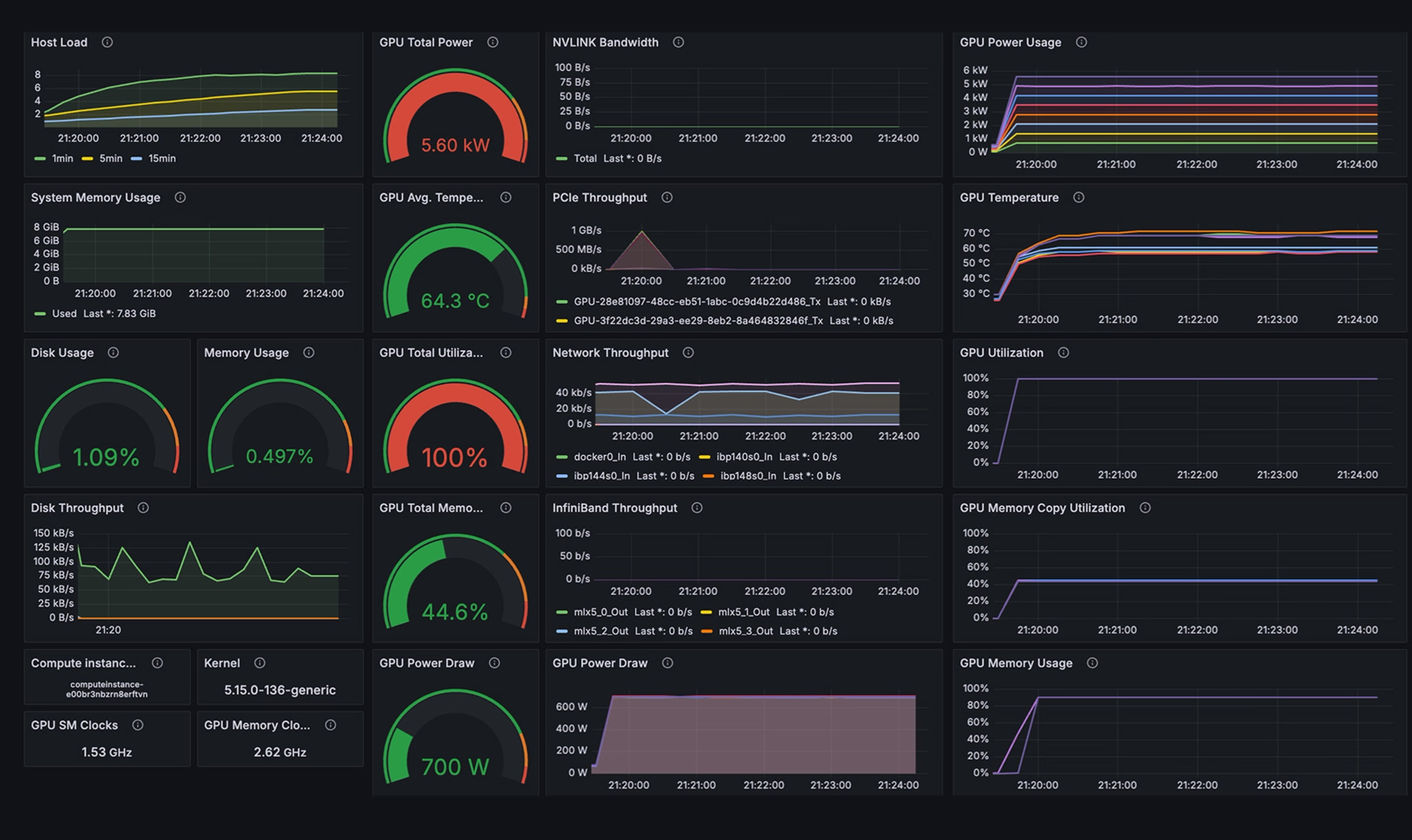
Stay ahead of performance issues and maintain full cluster visibility with our AI-tailored observability tools. Track metrics spanning GPU utilization to InfiniBand network performance — accessible via intuitive web UI dashboards or pre-configured Grafana dashboards.